
FileMaker Pro 17 Advanced
Out of stock
Studentprice €30.00
Regular Price €422.29
Supplier recommended retail price.
Lowest price in last 30 days:
Regular Price Supplier recommended retail price.
-
Description
-
More Information
-
Systemrequirements
-
Reviews
Description
FileMaker Pro 17 Advanced
Filemaker Pro 17 is the tool you use to create a custom app. For example, it lets you manage and keep track of projects. Anyone can create a custom app. Even if you lack extensive IT experience or know-how, you will be up and running with FileMaker Pro 17 Advanced in no time.
Examples of how FileMaker Pro 17 Advanced can be used:
- Create custom apps for iPads, iPhones, Windows, Macs and the Internet.
- Use your apps on Windows and Mac.
- Obtain access to more advanced development tools for faster development and implementation of apps.
- Use diagnostic analysis methods, powerful verification tools and much more.
Key new features of FileMaker Pro 17 Advanced:
- Master-detail layouts: Leverage the new portal enhancements to create common design patterns such as master-detail layouts. Eliminate the need to create self-join relationships and additional scripts.
- Group object selection: Easily modify, reposition or resize an individual object within a group without first needing to ungroup all objects.
- Redesigned Layout mode: The Inspector, Fields tab and Objects tab are more discoverable through convenient panes inside the document window.
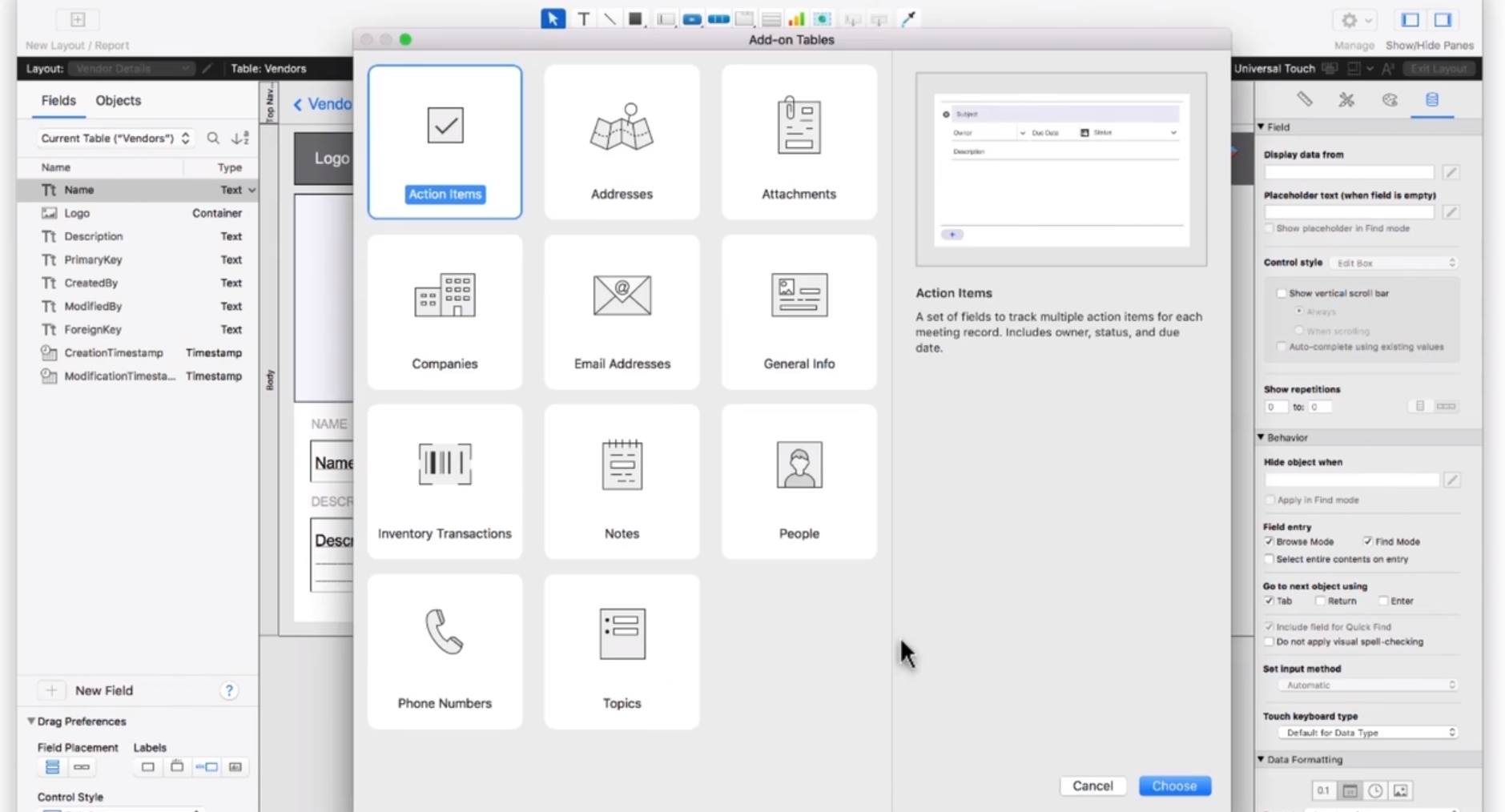
- Starter apps: Get started more quickly by choosing one of the 6 new Starter apps. Add more functionality by connecting an Add-on Table to the app.
- My apps window: Launch any of your custom apps from one convenient window. Click on the Create tab to find the new Starter apps.
- Default fields When adding a new table, fields are automatically created that display record creation information.
- Multiple email attachment support: Attach multiple files to an email message to have more flexibility in communicating.
- Copy and paste custom menus Copy menu sets, menus and menu items, and then paste them into another file.
- Account lockout: Protect apps against brute force and dictionary attacks by temporary locking an account after a few sign-in attempts.
More Information
| Media | Download |
|---|---|
| Brand | Filemaker |
| Bit version | 32- and 64-bits |
| Language | Multiple languages |
| Available for: | Employee, Student |
| Special conditions | Apps op maat die zijn gemaakt met FileMaker Pro 12 en FileMaker Pro 12 Advanced of hoger kunnen met FileMaker Go 17 worden geopend en gebruikt. |
| Cooling-off period | Op downloads is de bedenktijd niet van toepassing, downloads kunnen dan ook niet geannuleerd of geretourneerd worden. Tijdens het bestellen heb je akkoord gegeven om van je herroepingsrecht af te zien. Alle producten die je bij SURFspot.nl aanschaft zijn inclusief btw en verzendkosten. |
| Terms of use |
Systemrequirements
Windows:
Mac:
macOS High Sierra 10.13 & macOS Sierra 10.12
| Windows 10 Pro Edition Windows 10 Enterprise Edition |
32-bits en 64-bits Fall Creators Update |
| Windows 8.1 Standard Edition Windows 8.1 Pro Edition |
Systeemupdates 2919355 en 2999226 |
| Windows 7 SP1 Professional Edition Windows 7 SP1 Ultimate Edition |
Systeemupdate 2999226 |
Mac:
macOS High Sierra 10.13 & macOS Sierra 10.12
Houd er rekening mee dat OS X El Capitan 10.11 niet langer wordt ondersteund. Zorg ervoor dat u het besturingssysteem hebt bijgewerkt alvorens de upgrade naar FileMaker Pro 17 Advanced uit te voeren.
|
Hardware
|
Minimumvereisten | Aanbevolen vereisten |
| Windows | CPU: 1 GHz of snellere x86- of x64-bits processor | CPU: 1 GHz of snellere x86- of x64-bits processor |
| RAM: 1 GB | RAM: 2 GB of meer | |
| Mac | RAM: 2 GB | RAM: 4 GB of meer |
Reviews
Only customers who purchased this product can write a review.
