
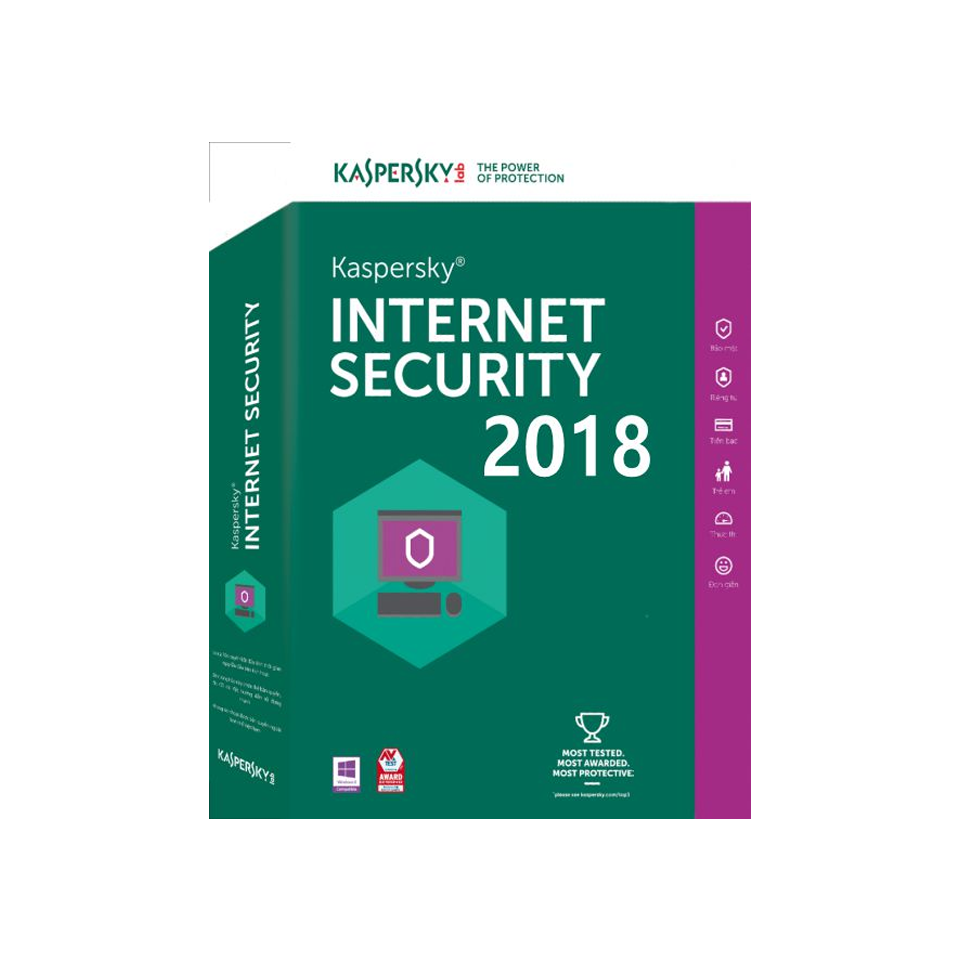
Kaspersky Internet Security 2018
Out of stock
-
Description
-
More Information
-
Instructions
-
Systemrequirements
-
Reviews
Description
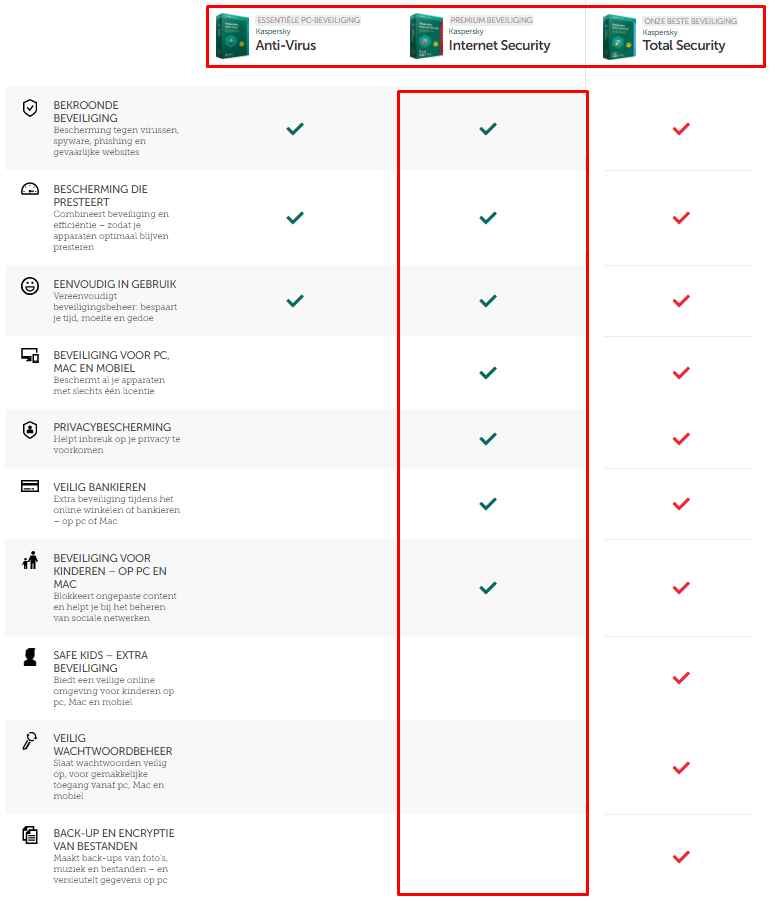
Het is tegenwoordig noodzakelijk om een antivirus programma te installeren op jouw apparaat. En niet meer alleen om jouw apparaat te beschermen tegen virussen. Het is ook nodig om je privacy te waarborgen en het online bankieren veilig te houden. Kaspersky Internet Security beschermt op deze vlakken.
Kaspersky Internet Security 2018 functies:
- Beschermt tegen virussen cyberaanvallen zonder jouw laptop te vertragen
- Toegang tot een gratis online Kaspersky account met technische support
- Beschermt jouw privacy en regel veilig online jouw geldzaken
- Bescherming voor 5 apparaten met 1 licentie
- Online bescherming voor kinderen
Privacy gewaarborgd met Kaspersky internetsecurity
Op het vlak van privacy beschermt Kaspersky Internet Security 2018 jouw persoonlijke gegevens en voorkomt het programma dat je online gevolgd wordt. Ook blokkeert het programma onbevoegden de toegang tot jouw webcam.*
Safe Money technologie
Een ander onderdeel van dit programma is de Kaspersky Safe Money technologie. Deze zorgt ervoor dat je veilig online kan shoppen of bankieren. **
Ouderlijk toezicht
Een laatste onderdeel van dit programma is de ouderlijk toezicht functies. Hiermee kan je ongepaste websites en inhoud kan blokkeren zodat kinderen veilig kunnen internetten. **
Voor meer informatie kijk op Kaspersky.
*Alleen beschikbaar voor pc’s
**Alleen beschikbaar voor pc’s en Mac-computers
More Information
| Media | Download |
|---|---|
| Brand | Kaspersky |
| Bit version | 32- and 64-bits |
| Language | Dutch & English |
| Special conditions | - Purchasing this product gives you a subscription, including free updates to Kaspersky Internet Security (one year, three or five devices). |
| Cooling-off period | Downloads The cooling-off period does not apply to downloads. Downloads can therefore not be cancelled or returned. You agreed to waive your right of withdrawal when ordering your download. All products purchased from SURFspot.nl are inclusive of VAT. |
| Terms of use |
Instructions
You will receive a serial number and link to download the product. If you would like to install a tablet or telephone version, you should install that version on the device itself. These versions can be obtained for Android in the Google Play Store and for Apple in the App Store. They can subsequently be activated using the serial number. Depending on the version, you can activate it on three or five devices. This protects the relevant device for one year.
Systemrequirements
Windows desktops and laptops
at least 800 MB free hard disk space;
Microsoft Internet Explorer 8*** or higher;
Windows 10* (32 or 64-bit**), Windows 8.1/8/7/Vista/XP (32 or 64-bit**);
processor: 1 GHz or more;
memory (RAM): 1 GB (32-bit) or 2 GB (64-bit)
Windows tablets (system with an Intel processor)
Microsoft Windows 10;
Microsoft Windows 8.1/8.1 Pro (64-bit**);
minimum screen resolution: 1024 x 600.
Mac desktops and laptops
at least 770 MB free hard disk space;
memory (RAM): 1 GB;
webcam protection only available for Mac computers. For the full list of devices compatible with this technology, please see http://support.kaspersky.com/12476#block1;
Android smartphones or tablets;
Android™ 4.0 – 7.0*;
minimum screen resolution: 320 x 480;
iPhone and iPad4;
iOS® 8.0 or higher;
Windows Phone®4;
Windows Phone 8.
For all installations:
Internet connection required for product activation, updates and access to certain functionality.
* Functionality of the following features is currently limited when using Windows 10 RTM: System monitoring, System memory scan, Self-protection, Program control, Secure banking
** Some features may not work on 64-bit operating systems.
*** Not guaranteed when using internet Explorer 8. If you use Microsoft Internet Explorer 8, we cannot guarantee that the My Kaspersky portal and security management features will work properly.


